WLW Plugin for Open Live Writer #OLW available

I use Windows Live Writer for quite some time to write my post for my WordPress blog. The last version that was published by Microsoft was in the year 2012. So I was very happy when a few days ago the Open Live Writer (OLW) was announced. The OLW is an open source clone of the Windows Live Writer and is supported by a group of volunteers. Check out the post from Scott Hanselman for more details. What kept me from using it until now was the missing WLW Pluging (The Live Writer Source Code Plug-in For WordPress.com Blogs) from … Continue reading WLW Plugin for Open Live Writer #OLW available

Set assembly and app version to a matching build name in TFS 2015 or VSO Build.VNext

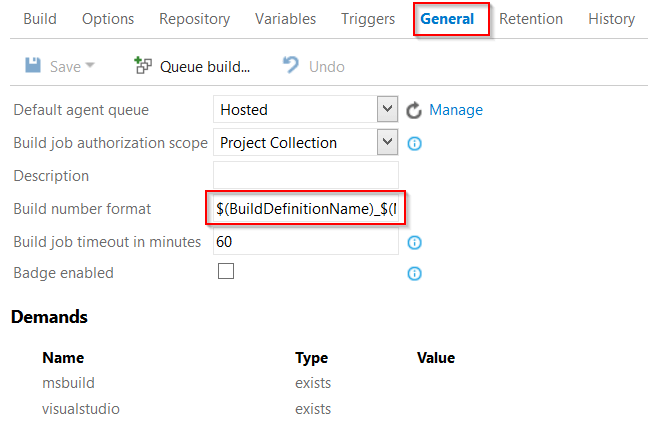
One of the most common customizations in TFS XAML build templates was to automatically update the assembly version number. This can also be done in build vNext using a small power shell script. I also added the option to apply … Continue reading Set assembly and app version to a matching build name in TFS 2015 or VSO Build.VNext

Trigger a vNext Release from build in TFS 2013/2015 on premise

I always had a lot of problems triggering a release from a build (Vnext or Xaml) on premise if I work with agentless deployments. In the cloud this works like a charm – but on premise it never worked for me. I tried it with the blog post on msdn – but no success. Today I started to use Fiddler to monitor the api calls that the Release Management Client makes. (BTW: I know now, why the app is so slow if you have limited network bandwidth. The client is really chatty!). With Fiddler and the Invoke-RestMethod commandlet its quite … Continue reading Trigger a vNext Release from build in TFS 2013/2015 on premise

Visual Studio Release Management and PaaS

Can you deploy Platform as a Service (PaaS) components to Azure using Visual Studio Release Management? I get this question quite often lately. Short answer: yes you can. And how? Via a virtual machine. Yes – this is Infrastructure as a Service (IaaS) and not PaaS. Yes – this is not what you expected. Me neither. But it’s the only supported way right now. I hope this will change in future versions and that we get a “Azure PowerShell” like we have in Build.VNext. But right now this is the way to go. If you watch BREAKPOINT: Release Management and … Continue reading Visual Studio Release Management and PaaS

New Version of SPEmulators available on nuget

Today I released a new version of the SPEmulators – the package to emulate SharePoint Server API in Farm Solutions – on nuget. The current version is 2.0. The current version includes: Support for Visual Studio 2015 Enterprise Fixed errors for some editions of VS 2012 and 2013 Included Pull Request from Vladimir Almaev with support for SPViewFieldCollection Fixed some minor bugs For installing and using the package please refer to my original post. If you have any questions, issues or feature requests, please create an issue on the project page on GitHub. Continue reading New Version of SPEmulators available on nuget

SPOEmulators 0.2-pre released on nuget

I had no support for Visual Studio 2015 in my first beta. I fixed this and added a pester test script to test the init.ps1. I also notices that there are problems with older versions of SharePoint on premises. Therefor I created a second nuget package. The original package SPOEmulators now uses the dependent package Microsoft.SharePointOnline.CSOM as the source for the CSOM assemblies (version 16). The new package SPOEmulators (on-premises) directly references the version 15 of the CSOM assemblies. For details how to use the SPOEmulators refer to the readme on github.com or to my original post here. Continue reading SPOEmulators 0.2-pre released on nuget

SPOEmulators beta available

Today I published the first beta of SPOEmulators on NuGet.org. The project is open source (MIT license) and is available on GitHub. SPOEmulators is a framework that helps you to write unit and integration tests against Office 365 or SharePoint on premise using the client side object model (CSOM). It uses the Microsoft Fakes Framework to emulate the SharePoint or O365 CSOM. The benefit is, that you an write your tests against the real backend as integration tests. If your code works you can add a little more effort to convert the test to an isolated unit test. Like this … Continue reading SPOEmulators beta available

New Version of Release Explorer available

There is a new version (2.1 beta) of the Release Explorer for Visual Studio 2013 available. The release explorer is a visual studio extension that allows you to manage your Release Management items from within your Team Explorer in Visual Studio. It is still beta – but the new Version is a lot better than the previous. The current version now allows you to connect to the server using your credentials and you don’t have to save the password in plain text here. This was the biggest pain in the first version for me. In the context menu of a … Continue reading New Version of Release Explorer available

Don’t forget the NodeName in your DSC ConfigurationData

Today I created a new configuration data for a DSC configuration and got the following error: all elements of AllNodes need to be hashtable and has a property ‘NodeName’. The config looked good: AllNodes was a hashtable and it had the desired node name. So where was the error? I forgot one little thing: the global configuration needs a property NodeName set to an asterisk. Adding this fixed the error. This is really easy – but a search for the error message did not return any useful results. Therefor I decided to share it anyway… Continue reading Don’t forget the NodeName in your DSC ConfigurationData