Release management trial license has expired

The license of the Release Management Server at one of my client expired multiple times. This time I was really sure that I had installed the correct version from MSDN. When I looked around I found the answer on msdn. As it turned out the problem is not, that the license had expired. The user under which the application pool is running has to load a user profile to read the license. This can be configured in iis. Continue reading Release management trial license has expired

Use Pester to author your PowerShell scripts

Pester is a great module for testing your PowerShell scripts and modules. It has great mocking support, a test drive for setting up isolated files and supports a lot of assertions. Since the importance of PowerShell growths, testing your scripts is a must.

This is part 2 of the series “Develop next level PowerShell with Visual Studio and Pester”. It assumes that you have a Visual Studio solution with a basic Pester Test in GitHub.

Post Content
Part 1: Develop next level PowerShell with Visual Studio and Pester In this post I focus on creating the project in Visual Studio and interacting with a source control system like git.
Part 2: Use Pester to author your PowerShell scripts using TDD/BDD This post focuses on writing PowerShell scripts or modules using Pester as a TDD/BDD framework.
Part 3: Run your Pester tests in a VSTS build In this post I show you how you can run you tests in a continuous integration build and display the build status with a badge in your repository.


Pester basics

If you create a new test in Visual Studio, it looks like this:

Describe "PowerShellTest1" {
    Context "Exists" {
        It "Runs" {
        }
    }
}

As you can see you have three levels:

Describe: This is the name of the test displayed in test explorer. It is not ONE test in the test results. It’s more a container scope for many tests that executes as a unit.

Context: Like “Describe” the Context is a container for tests. You can mock functions or have test files in the scope of a context.

It: “It” is the actual test. You add an assertion here to test the state of your system. “It” is also a scope for mocking like context.

You can use these elements to structure your tests in a BDD style after the GivenWhenThen pattern.

$project = (Split-Path -Parent $MyInvocation.MyCommand.Path).Replace(".Tests", "")
$sut = (Split-Path -Leaf $MyInvocation.MyCommand.Path).Replace(".tests.", ".")
. "$project\$sut"

Describe "AnswerToUltimateQuestion" {
    Context "Given an enormous supercomputer named Deep Thought, when we ask the ultimate question about life, the universe, and everything" {
        It "should return 42" {
			       AnswerToUltimateQuestion | Should Be 42
		     }
    }
}

Continue reading “Use Pester to author your PowerShell scripts”

Set assembly and app version to a matching build name in TFS 2015 or VSO Build.VNext

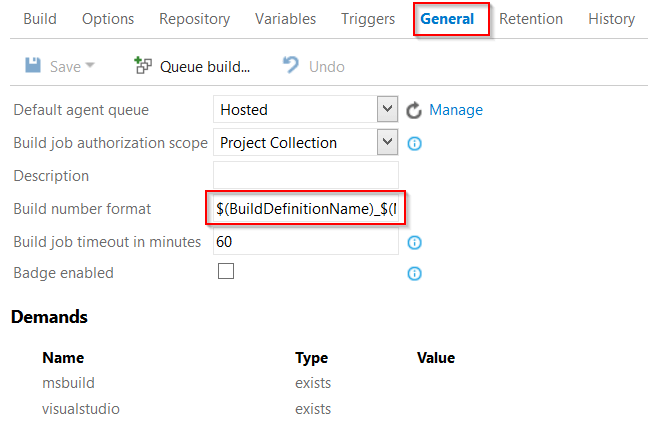
One of the most common customizations in TFS XAML build templates was to automatically update the assembly version number. This can also be done in build vNext using a small power shell script. I also added the option to apply … Continue reading Set assembly and app version to a matching build name in TFS 2015 or VSO Build.VNext

Visual Studio Release Management and PaaS

Can you deploy Platform as a Service (PaaS) components to Azure using Visual Studio Release Management? I get this question quite often lately. Short answer: yes you can. And how? Via a virtual machine. Yes – this is Infrastructure as a Service (IaaS) and not PaaS. Yes – this is not what you expected. Me neither. But it’s the only supported way right now. I hope this will change in future versions and that we get a “Azure PowerShell” like we have in Build.VNext. But right now this is the way to go. If you watch BREAKPOINT: Release Management and … Continue reading Visual Studio Release Management and PaaS

SPOEmulators beta available

Today I published the first beta of SPOEmulators on NuGet.org. The project is open source (MIT license) and is available on GitHub. SPOEmulators is a framework that helps you to write unit and integration tests against Office 365 or SharePoint on premise using the client side object model (CSOM). It uses the Microsoft Fakes Framework to emulate the SharePoint or O365 CSOM. The benefit is, that you an write your tests against the real backend as integration tests. If your code works you can add a little more effort to convert the test to an isolated unit test. Like this … Continue reading SPOEmulators beta available

New Version of Release Explorer available

There is a new version (2.1 beta) of the Release Explorer for Visual Studio 2013 available. The release explorer is a visual studio extension that allows you to manage your Release Management items from within your Team Explorer in Visual Studio. It is still beta – but the new Version is a lot better than the previous. The current version now allows you to connect to the server using your credentials and you don’t have to save the password in plain text here. This was the biggest pain in the first version for me. In the context menu of a … Continue reading New Version of Release Explorer available

Don’t forget the NodeName in your DSC ConfigurationData

Today I created a new configuration data for a DSC configuration and got the following error: all elements of AllNodes need to be hashtable and has a property ‘NodeName’. The config looked good: AllNodes was a hashtable and it had the desired node name. So where was the error? I forgot one little thing: the global configuration needs a property NodeName set to an asterisk. Adding this fixed the error. This is really easy – but a search for the error message did not return any useful results. Therefor I decided to share it anyway… Continue reading Don’t forget the NodeName in your DSC ConfigurationData

Be careful with custom variable names in Release Management

If you use Visual Studio Release Management vNext / 2013 with PowerShell/DSC you probably have a lot of custom configuration variables that you pass to your scripts. Be careful when you choose the names for these variables because! There are a lot of reserved words. For example the word UserName is reserved. This leads to very odd error messages that are really hard to track down: System.AggregateException: One or more errors occurred. —> Microsoft.TeamFoundation.Release.Common.Helpers.OperationFailedException: Permission denied while trying to connect to the target machine <hostname> on the port:5985 via power shell remoting. Please check the following link for instructions: http://go.microsoft.com/fwlink/?LinkID=390236System.Management.Automation.Remoting.PSRemotingTransportException: … Continue reading Be careful with custom variable names in Release Management

Deploy to none domain machines with Visual Studio Release Management vNext

There is a lot of documentation on how to deploy to machines outside your domain using agent based deployment ( i.e. on msdn) using shadow accounts. But I couldn’t find any documentation if and how this is done using vNext / agent-less deployment. If you deploy to server outside your domain you get the following error messge: Connecting to remote server <name> failed with the following error message : WinRM cannot process the request. The following error with errorcode 0x80090311 occurred while using Kerberos authentication: There are currently no logon servers available to service the logon request.  So this is … Continue reading Deploy to none domain machines with Visual Studio Release Management vNext