


Integrate SonarQube in your TFS or VSTS Build
Since the last update to TFS we also have the build steps available to easily integrate SonarQube in your Visual Studio CI process. If you don’t have a SonarQube instance running you can set up one in Azure in nearly no time. Set up service endpoint for SonarQube First you have to set up a service endpoint for your SonarQube instance in TFS or VSTS. Go to the settings of your project (“manage project”), go to services and click “New Service Endpoint”. Select “Generic” and enter the URL to your SonarQube instance and the credentials to connect with. Add and … Continue reading Integrate SonarQube in your TFS or VSTS Build

Setup SonarQube in Azure VM
If you have installed and integrated SonarQube once in TFS 2012 you know it was really painful. But a lot of things have changed and now it’s really easy to setup a new SonarQube instance in Azure and integrate it into you build process and in Visual Studio. I did it this week and it was really fast and straight forward. Setup a machine in Azure I wanted to have a machine for trainings and demos. That’s why I decided to use SQL Server 2014 on Windows 2012 R2. Like this I can turn the machine on and of easily. … Continue reading Setup SonarQube in Azure VM
Nächstes Treffen der .Net User Group Stuttgart
Ich freue mich sehr, dass die .Net User Group Stuttgart diesmal in den Räumen der Alegri stattfindet. Der nächste Termin findet am 12. April um 18:00 Uhr in der Niederlassung der Alegri in Stuttgart in der Meitnerstr. 10 statt. Es geht an dem Termin um zwei Themen: 1. Anwendungsdesign für DevOps-Organisationen: dabei geht es hauptsächlich darum, wie man die Softwarearchitektur anpassen muss, damit man mit dem nötigen Tempo und der Qualität liefern kann, das für DevOps nötig ist. Der Hauptfokus wird dabei auf Microservices liegen. 2. Infrastructure as Code: Entwicklung von PowerShell mit VS, Pester und CI: Da PowerShell als … Continue reading Nächstes Treffen der .Net User Group Stuttgart
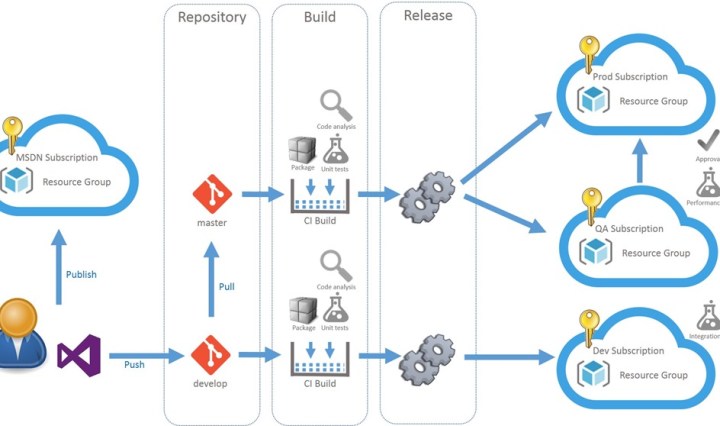
How to deploy SharePoint Apps with VSTS Release Management
Continuous Deployment of SharePoint Apps (a.k.a Add-Ins) is tricky. The app package is intended to be created for every environment because it must contain a client id and secret. There is also no simple way to automatically trust the app. … Continue reading How to deploy SharePoint Apps with VSTS Release Management

Der agile Festpreis mit Scrum und Prince2
In der Softwareentwicklung sind ein agiles Vorgehen und agile Schätzmethoden bereits Standard. Bei klassischen Ausschreibungen und in Lieferanten-Kunden-Umfeldern ist dies leider nicht der Fall. Hier wird nach wie vor versucht, das Risiko durch eine möglichst detaillierte Beschreibung der Endlösung zu minimieren. Leider funktioniert die detaillierte Planung vor Projektstart nicht, da der Fachbereich die Zielplattform und technischen Möglichkeiten und der Lieferant die Fachdomäne nicht kennt. Das Ganze führt dazu, dass im Projekt Lieferant und Kunde mehr gegeneinander statt miteinander arbeiten und meistens direkt nach Start des Projektes die Verhandlung von „Changes“ beginnt. Über den agilen Festpreis und den Scrum-Reifegrad hatte ich … Continue reading Der agile Festpreis mit Scrum und Prince2

ALM Days 2016 in Köln
In einem Monat ist es soweit: die ALM Days finden dieses Jahr in Köln am 13. und 14. April statt. Wie jedes Jahr geht es hier rund um die Themen Application Lifecycle Management, agile Entwicklung und natürlich DevOps. Als Speaker sind wieder viele Experten von Microsoft aus Deutschland und den USA und viele meiner MVP Kollegen. Die Anmeldung ist noch offen. Wer sich also bisher noch nicht angemeldet hat, kann das jetzt noch tun. Jetzt anmelden Die ALM Days sind für mich eine der besten Veranstaltungen im Jahr. Man kann sehr gut kontakte Pflegen und bekommt wirklich immer das aktuellste … Continue reading ALM Days 2016 in Köln

How to move build definitions in TFS to other projects using the REST API
The new build system in TFS or VSTS supports saving build definitions as templates. The problem is, that this only works inside a single TFS project. If you want to share your definition with other projects you have to use the REST API. First you have to extract your current build definition. Get a list of all build definitions and check the ids. Then use this ID to get the full definition. Now save the json to a file and remove all the clutter like _links, revision etc. I’ve marked all the sections that you can remove in the following … Continue reading How to move build definitions in TFS to other projects using the REST API

Missing files in MSDeploy package
Problem If you create an MSDeploy package for a SharePoint or O365 AddIn (a.k.a App) in a team build the package does not include all files (like i.e. language resources). Reason This seems to be a bug in MSDeploy. If you build the app only with /p:Ispackaging=True everything works fine. You get a web package inside the app.publish folder that contains all files. If you work with multiple Publishing Profiles and specify an explicit profile strange things happen. /p:DeployOnBuild=true /p:PublishProfile=NameOfPackageProfile You still get the package but if you look inside the package the folders are missing. Solution If you can … Continue reading Missing files in MSDeploy package

Sync your GitHub fork from within Visual Studio
Sync a github fork with the upstream repository using git command or Visual Studio. Continue reading Sync your GitHub fork from within Visual Studio

Release management trial license has expired
The license of the Release Management Server at one of my client expired multiple times. This time I was really sure that I had installed the correct version from MSDN. When I looked around I found the answer on msdn. As it turned out the problem is not, that the license had expired. The user under which the application pool is running has to load a user profile to read the license. This can be configured in iis. Continue reading Release management trial license has expired
 writeabout.net